How to Solve a Rubik's Cube (Or Just Play With One, Right in Your Browser)
Most people who owned a Rubik's Cube never solved it — they peeled the stickers or gave up after the first layer. Here is the method in plain English, the notation that makes it click, and a real 3D cube to practice on without wrecking a physical one.
In this article
Somewhere in a drawer, most households have a Rubik's Cube that got scrambled once in 1998 and never recovered. Some people peeled the stickers off and reassembled it "solved." Most people just gave up after getting one face two-thirds right and watching the third corner refuse to cooperate. If that describes you, the good news is that solving a cube was never about genius-level spatial reasoning — it is a short, memorizable method, and the reason it felt impossible is that most explanations skip straight to notation without explaining what the notation is for.
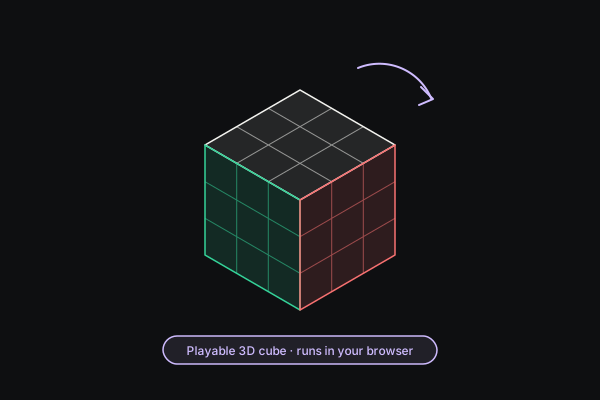
We built a full 3D Rubik's Cube you can play with directly in the browser — drag any sticker to turn that layer, drag empty space to orbit the camera, and scramble as many times as you want without ever misaligning a physical cube's mechanism. This post covers the method conceptually, the notation cubers use to talk about it, and how to use the tool to build the muscle memory.
The notation, decoded
Cubers describe every move with a single letter for the face being turned: Up, Down, Left, Right, Front, Back. A letter by itself means a quarter turn of that face; a letter followed by an apostrophe (like R') means the same face turned the other direction. Two letters in a row, like R2, means turn that face twice — a half turn.
That is the entire vocabulary. Every algorithm you will ever see in cubing — from a beginner's first cross to a speedcuber's blindfolded solve — is just a sequence of these six letters, sometimes with a prime, sometimes doubled. Our tool's on-screen buttons and keyboard shortcuts use the same six letters (hold Shift for the prime direction) specifically so the labels match what you will see anywhere else you go looking for cube content.
Pro tipOne caveat worth being upfront about: our tool optimizes for a fun, tactile puzzle rather than exact competition-legal turn directions — so if you already compete and have muscle memory for exactly which way "R" spins on a WCA-regulation cube, do not assume our R matches that memory pixel-for-pixel. For learning the method, orienting yourself to notation, and practicing timing and move efficiency, it makes no difference at all.
The beginner's method, stage by stage
The classic beginner method — sometimes called the layer-by-layer method — breaks the cube into four stages, each one strictly easier than solving the whole thing at once, because each stage only has to preserve the work already done.
1. The cross. Pick a color — white is traditional — and get four edge pieces into a plus-sign shape on one face, each one also matching the color of its neighboring center piece. This stage has no fixed algorithm; it is mostly intuitive maneuvering, and it is where most self-taught solvers actually succeed on their first attempt. The skill here is purely spatial: seeing where a piece needs to go and turning layers to walk it there without disturbing pieces already placed.
2. First-layer corners. With the cross built, the four corner pieces touching that same face need to drop into place, completing the entire first layer. Each corner has three stickers that all have to match their three neighboring faces simultaneously — this is usually the first moment a solver has to think two moves ahead instead of one, and it is exactly the skill the rest of the cube builds on.
3. Second-layer edges. Four more edge pieces need to move from the top layer into the middle layer, without disturbing the completed first layer beneath them. This stage introduces the first real "algorithm" in the formal sense — a short fixed sequence of turns, repeated identically every time, that inserts an edge from the top into the middle without touching anything below.
4. The last layer. This is the stage that actually earns the reputation cubing has. It further breaks into orienting the last layer's edges into a cross shape, orienting its corners so the top face is a single solid color, and then permuting — repositioning — both edges and corners into their final, fully solved spots. Competitive solvers memorize dozens of named algorithms to do this in fewer moves; a beginner needs only about four, applied patiently and sometimes more than once.
None of this needs to be memorized from a blog post. Set up any cross you like on our cube, work stage by stage, and press Scramble the moment you want to start over — there is no wear, no mechanism to loosen, and no risk of a piece popping out mid-solve the way a cheap physical cube's does.
Two moves every cuber eventually learns
Deep in cubing culture there is a four-move sequence — R, U, R', U' — nicknamed the "sexy move" for how often it shows up and how satisfying it is to execute quickly. Repeated six times in a row on a solved cube, it returns the cube to solved, which makes it a genuinely fun thing to type out and watch cycle through intermediate scrambled states before landing back on solved. It, and its mirror-image cousin L', U', L, U, form the backbone of several last-layer algorithms once you are ready to learn them formally.
You do not need to know what these accomplish to appreciate the pattern: cubing is full of short, rhythmic sequences that professionals execute from muscle memory in a fraction of a second, and every one of them started as a slow, deliberate walkthrough exactly like the stages above.
Practicing without wrecking anything
A physical cube punishes experimentation — turn it wrong enough times and the mechanism loosens, a piece pops out, or you simply lose track of where you started and give up. Our browser cube has neither problem. Scramble resets to a fresh randomized state in one click; Reset snaps straight back to solved. The timer starts on your first turn after a scramble and stops the instant all six faces match, with your best time and lowest move count saved locally so you have something to chase across sessions — the numbers never leave your device.
One reliable way to get comfortable with the controls before attempting a real solve: turn any single face four times in a row — R, R, R, R, or click the same button four times. You will watch the layer spin each time and land back exactly where it started, which is a quick, satisfying way to confirm you understand how a quarter turn works before you are three layers deep in an actual attempt.
Why this, on a tools site
Every other tool on InstantTools solves a specific, slightly annoying problem — compressing a PDF, converting an image, calculating a mortgage. A Rubik's Cube solves nothing. It is here because a browser-based utility site does not have to be entirely utilitarian, and because getting the drag interaction right — turning the exact layer you meant to turn, from whatever angle you happen to be viewing the cube from — turned out to be a genuinely interesting piece of engineering, reading the direction of your gesture directly off the camera's live projection rather than assuming a fixed viewing angle. If you have ever wanted to actually finish what that drawer cube started, this is a low-stakes place to do it.